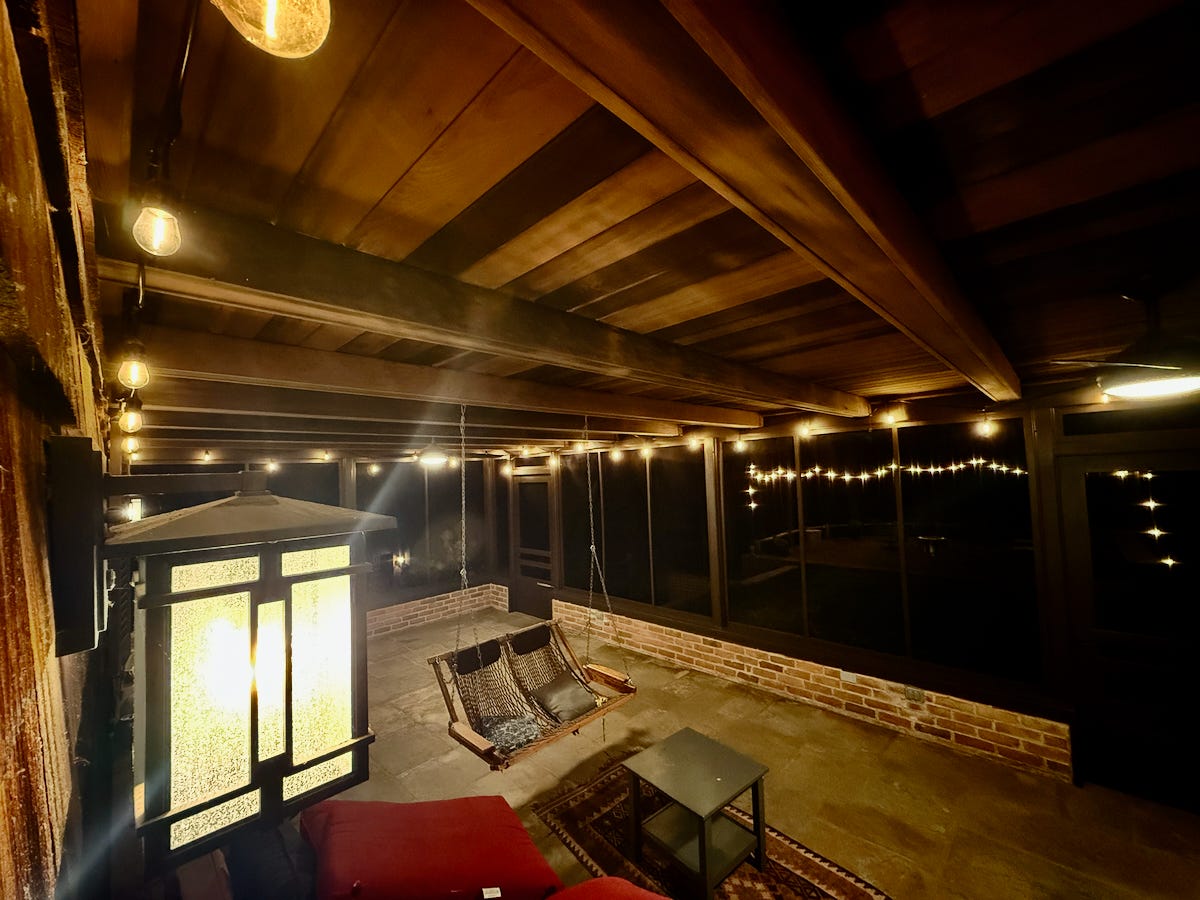
I have outdoor lights at my front door, back door, patio, porch, garage doors, yard barn door, basement door, and greenhouse. Whew! I typically want all of those lights on or off as a group, but they’re spread across several switches and buildings. Running around between house and greenhouse and garage and yard barn, upstairs and downstairs, inside and outside every time I wanted to turn them on or off — that’s nuts.
My solution? Home automation. Using Apple’s HomeKit, smart bulbs, smart switches, and a Raspberry Pi running the open-source Homebridge software, I can control a mix of devices, including ceiling fans, with a tap or a voice command. “Outside on.” Let there be light. “Outside off.” And darkness fell.
Even better, the driveway sensor can turn on the outside lights when someone drives up at night. Well, almost all of the lights.
Lights Fantastic
We also had a 60-foot light pole with three monster bulbs (1,000 watts each) at the top that illuminated our property like a ball field. It was controlled by pairs of black on/off pushbuttons as well as a driveway sensor. Wouldn’t it be great if this was part of the home automation too?
Alas, I had no idea how this system was wired. I thought about calling an electrician, but that would be expensive. I turned instead to AI.
I sent ChatGPT pictures of the switches and explained what I saw. It guided me through a series of tests and wire tracing until I managed to figure out how the system worked.
Traditional light switches work by interrupting the 120-volt electrical circuit that connects power to your lights. The lights, the switch, and the power are all on the same circuit.
My floodlights, however, ran on high-voltage lines and required a different approach. Instead of directly controlling the lights, the home’s original owner, who was an actual electrician, installed an electromagnetic relay to open and close the lights’ power circuit.


And to control the relay? That’s what the pushbuttons were for. The on buttons momentarily energized the relay, causing it to close the circuit and the lights to come on. The off buttons interrupted power, causing the relay to release, the circuit to open, and the lights to turn off. Every time the relay switched, it made a thunderous “ka-thunk.”
Clever!
However, for the reasons I just outlined, I couldn’t simply replace the buttons with a smart switch. I needed a different method.
Once again turning to ChatGPT, I learned about a company called Shelly that makes all kinds of smart devices and sensors that can be programmed to do just about anything you can imagine. I bought two Shelly 1 Mini Gen3 gizmos for around $25 each.
When they arrived, ChatGPT walked me through wiring them up like another pair of on/off buttons to control the relay. Then I connected the Shellys to HomeKit through Homebridge and added them to the “Outside On” and “Outside Off” scenes. Voilà! My floodlights were now controlled by the same home automation scenes as the rest of my outside lights. Sweet.
Light Falls
For a while, that was the end of the story. But the more I looked at the floodlights, the more I realized they were more blight than light. They had a distinctly industrial sensibility; the pole was rusty; and two of the three bulbs were dead. Even though I had replacement bulbs in the attic, cleaning up the pole and replacing the bulbs would require renting a lift, a surprisingly expensive proposition.
“Maybe we should just take it down,” my wife suggested.
On the one hand, it seemed like a waste to get rid of something so unique and functional — and I had just spent all that time and effort bringing the floodlights into the home automation family. On the other hand, the lights and pole really weren’t attractive; they did need maintenance (and thus money); and we didn’t need them.
“Yeah, you’re right,” I agreed.
But take it down how? I figured for that, we’d still need to rent a lift, so would it really save us any money? Maybe someone online might want it and be willing to take it down and away for free in exchange for whatever value they got from it? Yeah, right.


After mulling it over for a few days, I came up with an idea. What if I tied a rope around the top of the pole and attached it to my Gator? Maybe I could direct, if not completely control, the fall? Better yet, if I made a relief cut on the backside of the pole, could I count on the remaining connected metal to serve as a stiff hinge while I pulled the pole down with the rope and Gator?
Plenty of questions. Only one way to get the answers.
After turning off the floodlights’ circuit breaker, I threw a rope over the light pole’s yardarm, cinched it, and tied the other end to the back of the Gator. I nervously cut halfway through the backside of the pole and then hopped into the Gator. As I drove it forward, the rope became taut and the pole started to hinge forward. It dropped slowly at first, then gave way and crashed into a cushion of brush. No bulbs broke. All that was left for me to do was to cut the thick electrical cables and chop up the metal pole for recycling.
Back to Buttons
Being able to say “Siri, outside on” is great. But it’s not perfect, especially for guests who have no easy way to control those lights. If only I could wire up a physical switch to activate those smart home “Outside On” and “Outside Off” commands.
Yes, there are buttons and remotes that can be programmed to execute home automation commands, but I had a better idea.
After taking down the floodlights, I realized I could just repurpose the old floodlight on/off pushbuttons and Shelly gizmos.
I disconnected all of the switches and buttons and traced a dozen wires to a central junction box. Once I relabeled all the wires, ChatGPT walked me through splicing them together into two 120-volt circuits — one for on and one for off. Then it told me how to reprogram the Shellys. When things didn’t work quite right, it patiently helped me troubleshoot. In the end, the “on” pushbuttons told one Shelly to trigger “Outside On,” and the “off” pushbuttons told the other to trigger “Outside Off.”


And here’s the thing: I doubt I would have done any of this without AI. Experts talk about AI’s threat to jobs — which is real, I’m sure — and how some professions — like electricians — may be safer from its effects. But is that really true? When I first looked at those buttons, I figured I’d have to pay an electrician just to find out how they worked. There’s no way I would have taken on this project without ChatGPT to help me make sense of the wiring and troubleshoot when things didn’t work.
Now my guests don’t have to think about home automation or finicky voice control. They can easily turn on (or off) more than a dozen outside lights with the press of a simple physical button. And I admit, it also gives me a kick to push a 60-year-old button to activate a smart home scene. Let there be light!